



How to Order
How to Order
New here? No worries. Follow these simple steps to place your order from choosing your products all the way to payment and confirmation.
Step-by-Step Guide
Here's everything you need to know from browsing our store to receiving your order confirmation.
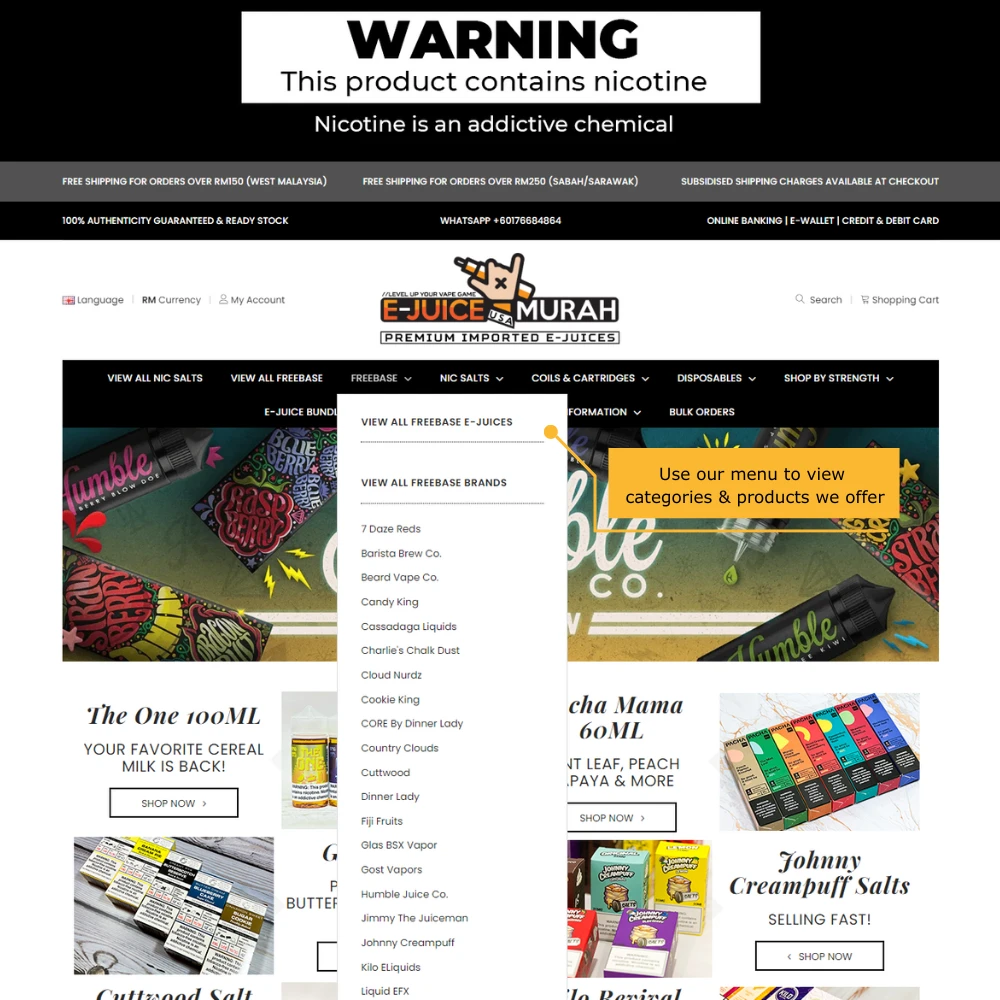
Browse Our Store
Browse our website to see everything currently available and in stock.
Use the main menu at the top of the website to browse by product type, brand, strength or other categories.
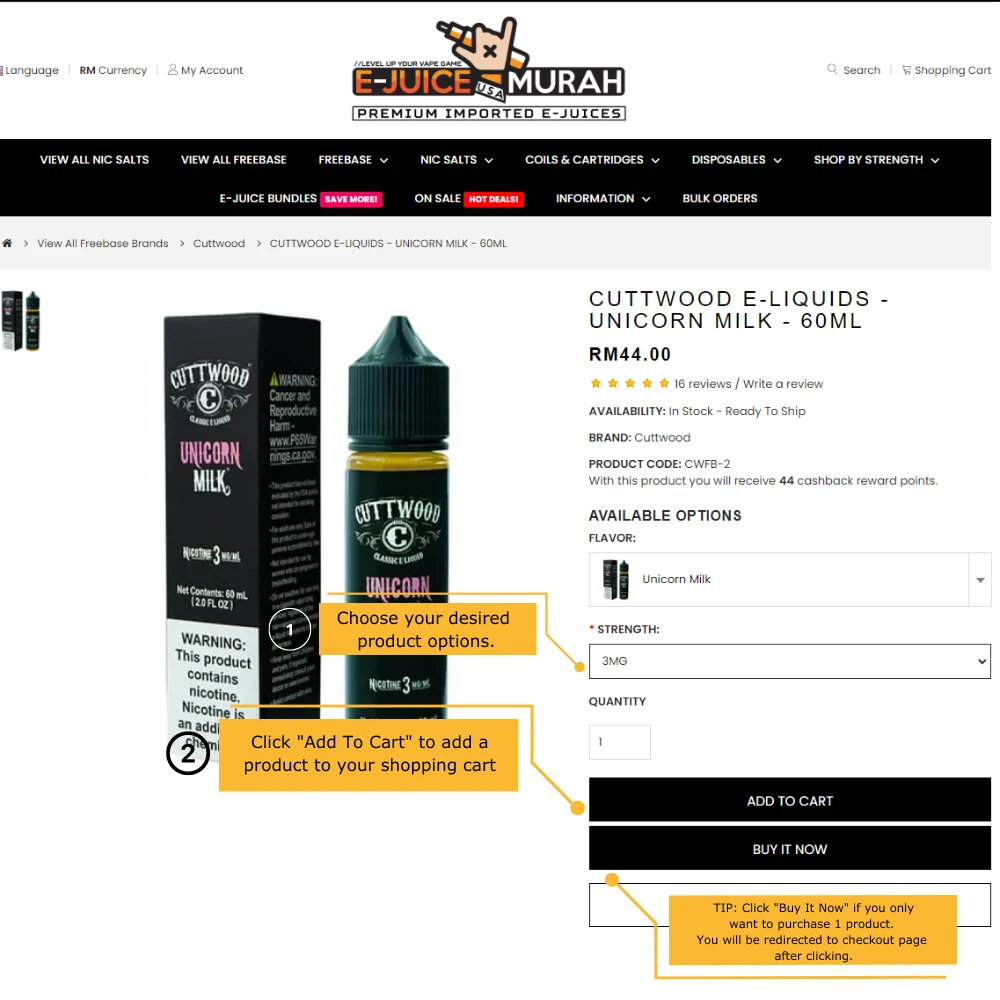
Select Your Options & Add to Cart
Open the product you want and choose your preferred flavor, strength and quantity where applicable.
Click ADD TO CART when you're ready to add it to your shopping cart.
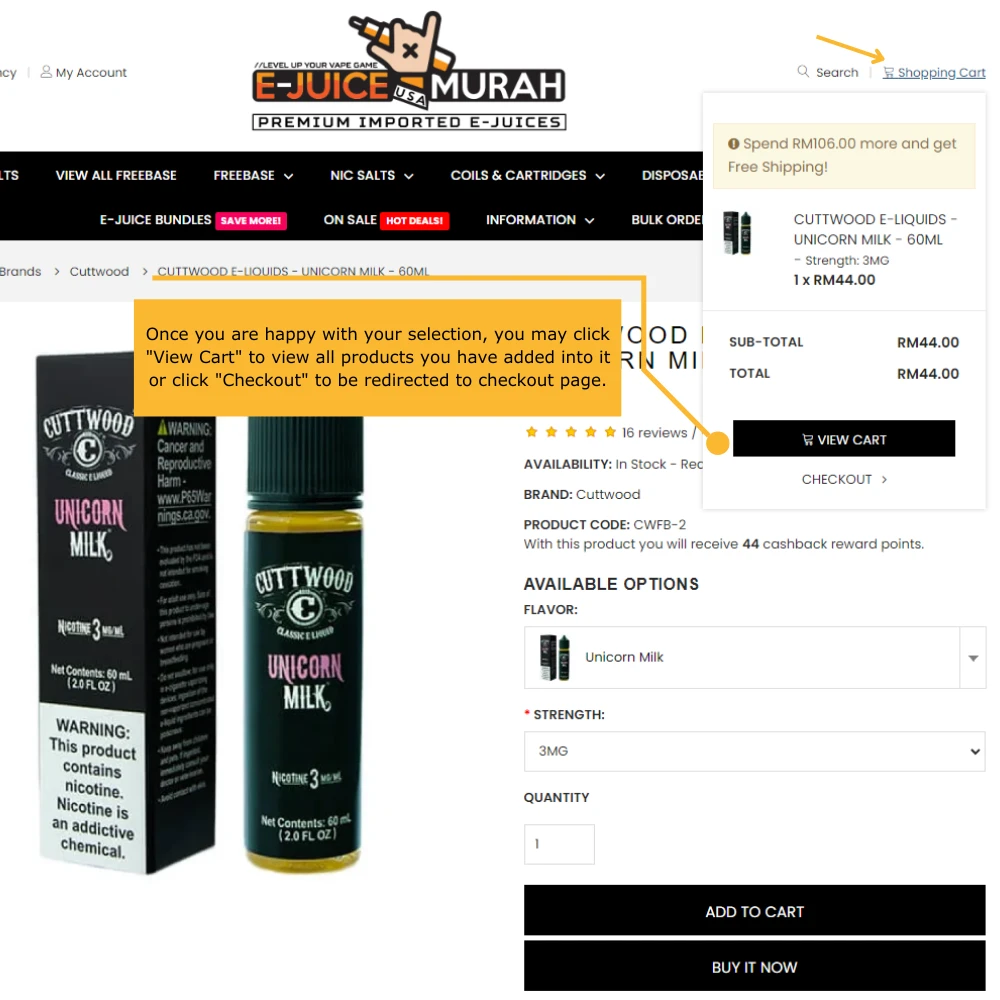
Open Your Shopping Cart
Click the Shopping Cart icon at the top-right of the website to see the products you've added.
Select View Cart to review your full shopping cart before proceeding.
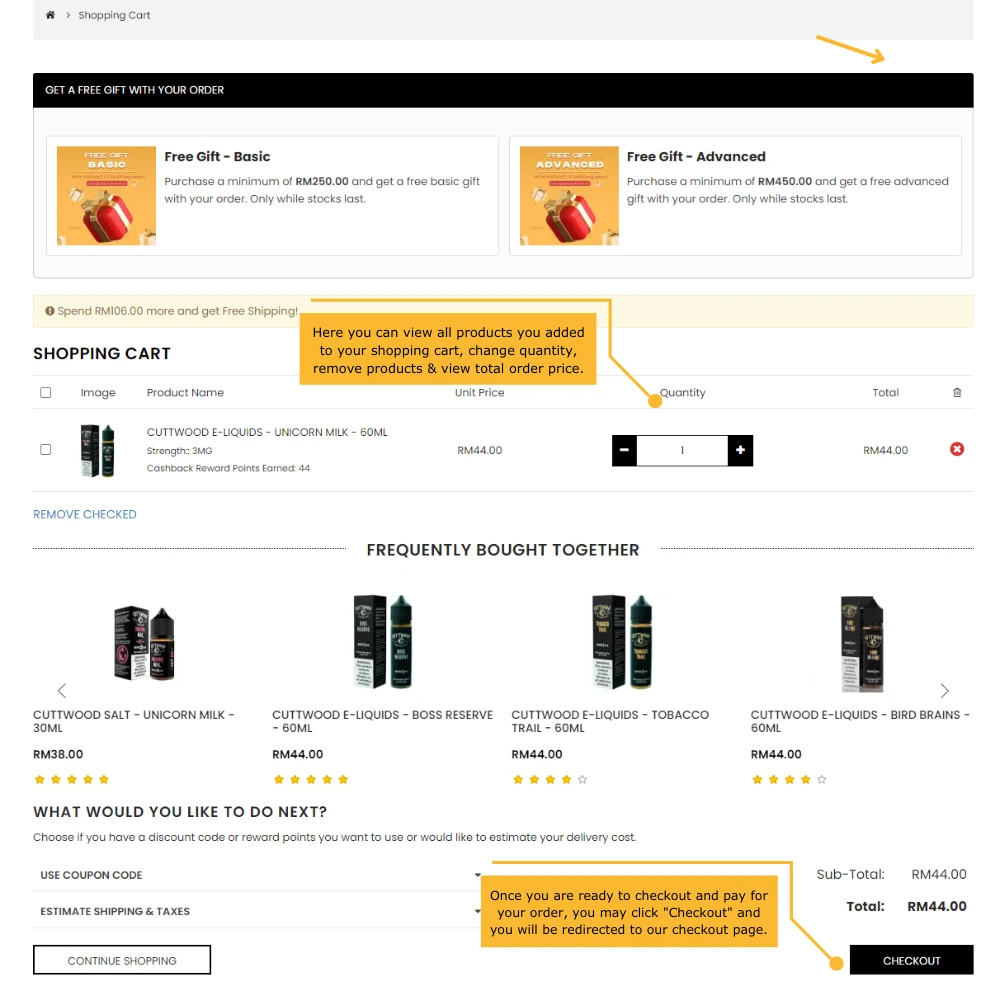
Proceed to Checkout
Check that your products, quantities and selections are correct.
Once you're happy with your order, click CHECKOUT to continue to our secure checkout page.
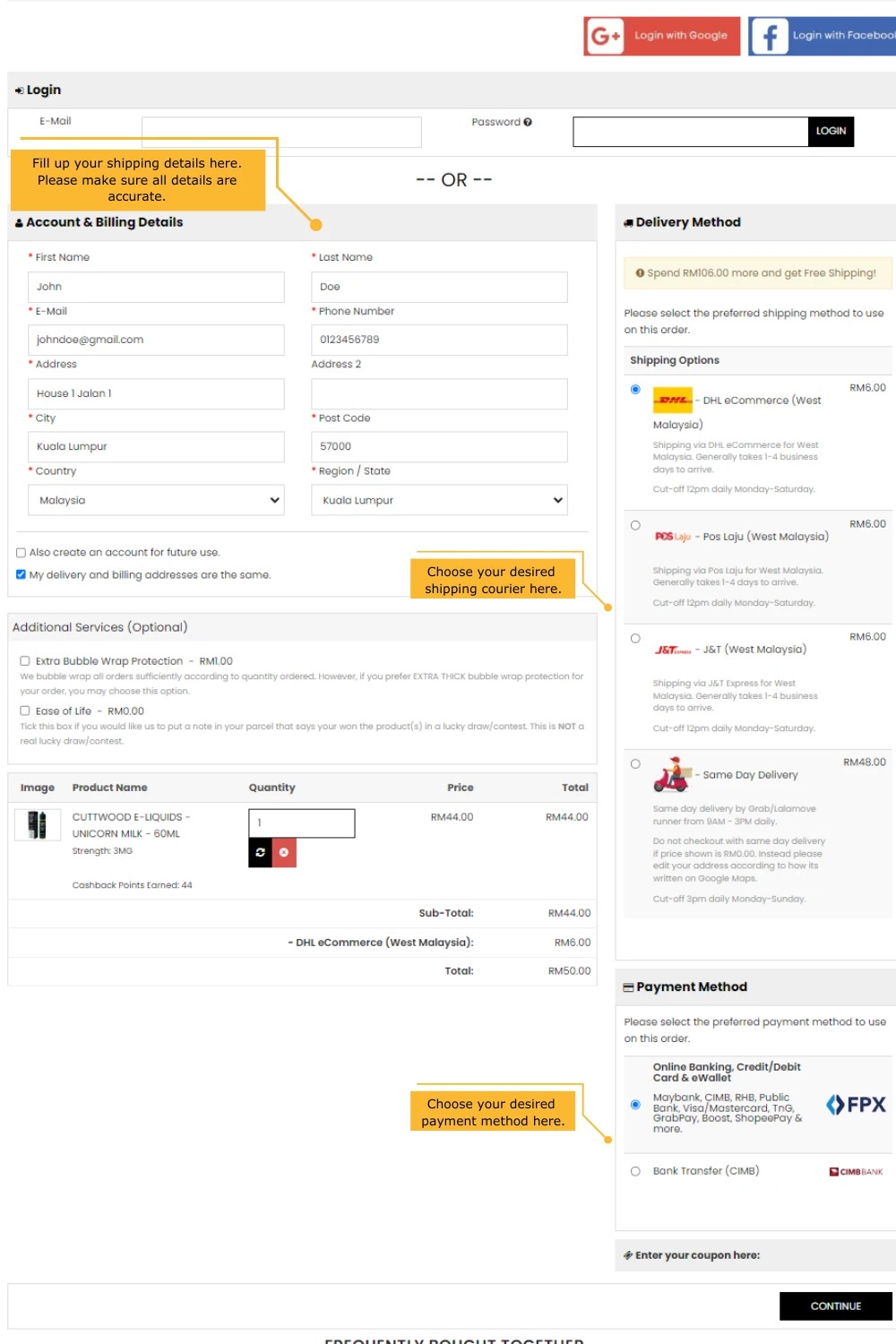
Enter Delivery & Payment Details
Fill in your shipping details, then choose your preferred delivery courier and payment method.
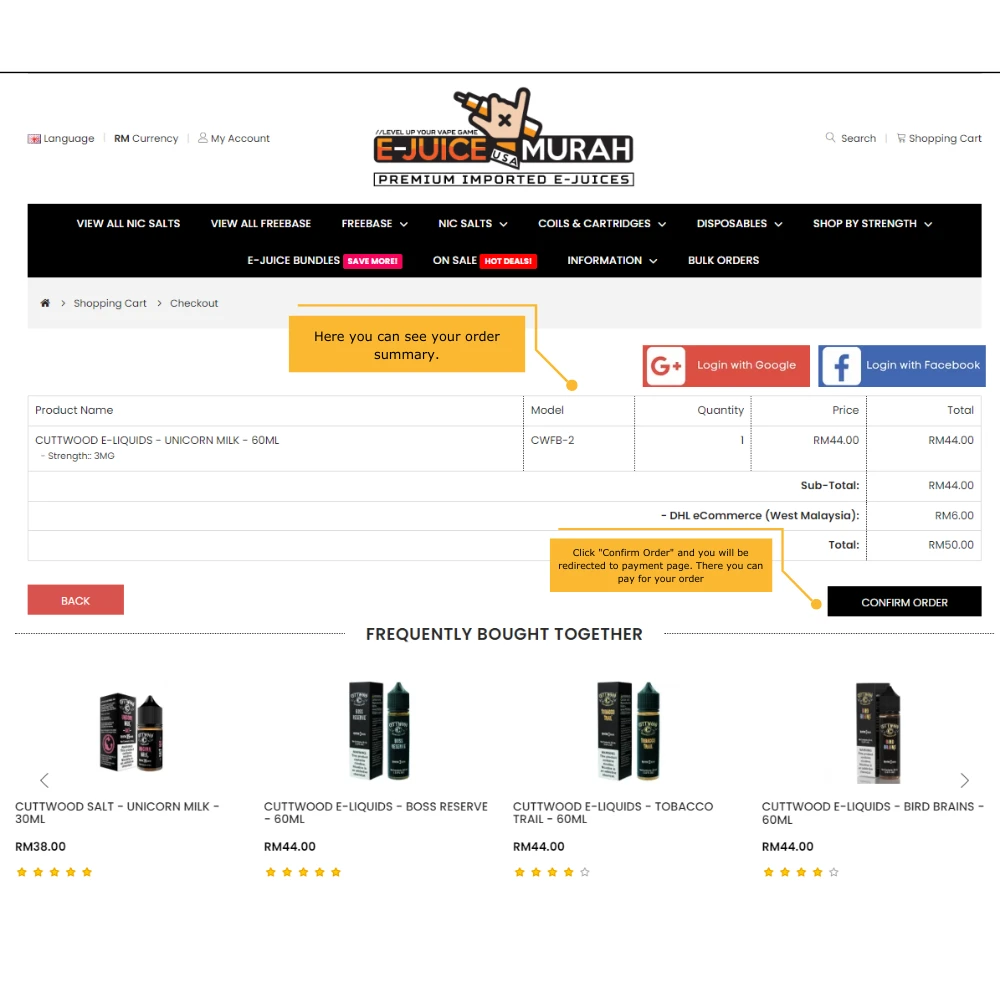
Review & Confirm Your Order
You'll now see a final summary of your order.
Check your details one last time, then click CONFIRM ORDER to proceed to payment.
Payment & Order Confirmation
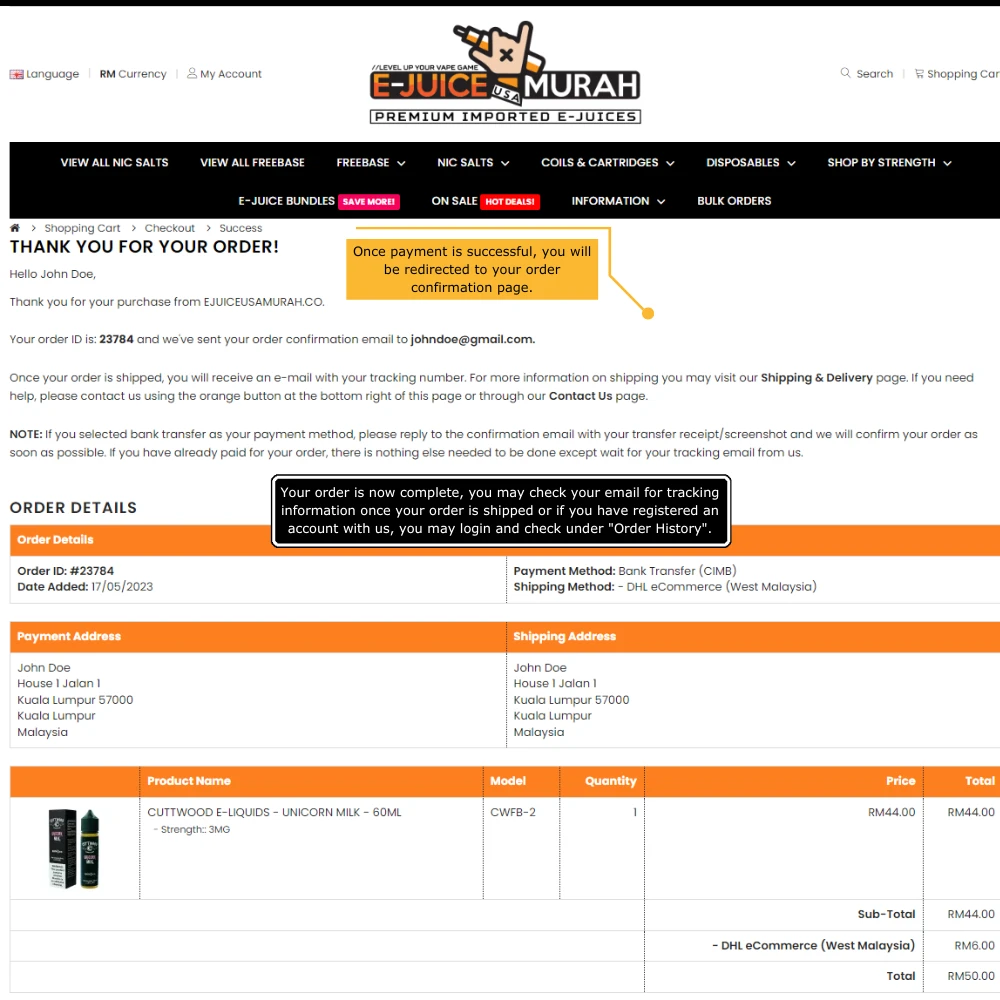
Once payment is completed successfully, you'll be redirected to your order confirmation page.
Your order is now confirmed. We'll process your order and update your tracking information once it is ready for shipment.
Tracking updates will be sent by email. Registered customers can also log in and check their order under Order History.
That's It. Your Order Is In!
Sit back and relax while we prepare your order. We'll update you once your tracking information is available.
Start Shopping